Give your AI a goal, not a prompt
We design always-on agents on OpenAI Dots that work in the background across Slack, Teams, email and your project tools, and ask a person before anything sensitive goes out.
AI that waits for the next message
Most teams use AI one prompt at a time. Nothing moves until someone types the next request, so status still gets chased by hand and updates stay scattered across Slack, Teams, email and documents.
- Nothing happens until someone writes another prompt
- Updates spread across Slack, Teams, email and docs
- Someone has to ask, collect and summarise every week
- No clear rule for what AI may send or change on its own
What we build
We turn recurring work into clear goals and assign each one to an agent that runs in the background. Research and drafting happen automatically; anything that reaches a client or changes a record waits for a person to approve it.
- Agents designed around specific business goals
- Connections to Slack, Teams, email, docs, project boards and CRM
- Permission rules for what each agent may do on its own
- Admin controls at the workspace level
- Recurring summaries and alerts posted where your team works
How the engagement runs
Discovery call
We map your process, your tools and what success looks like.
Written proposal
Scope, timeline and price in writing, before any work begins.
Build and connect
We design each agent's goal and permissions and connect it to your apps.
Launch and support
Tested, documented, monitored and improved after go-live.
Related work
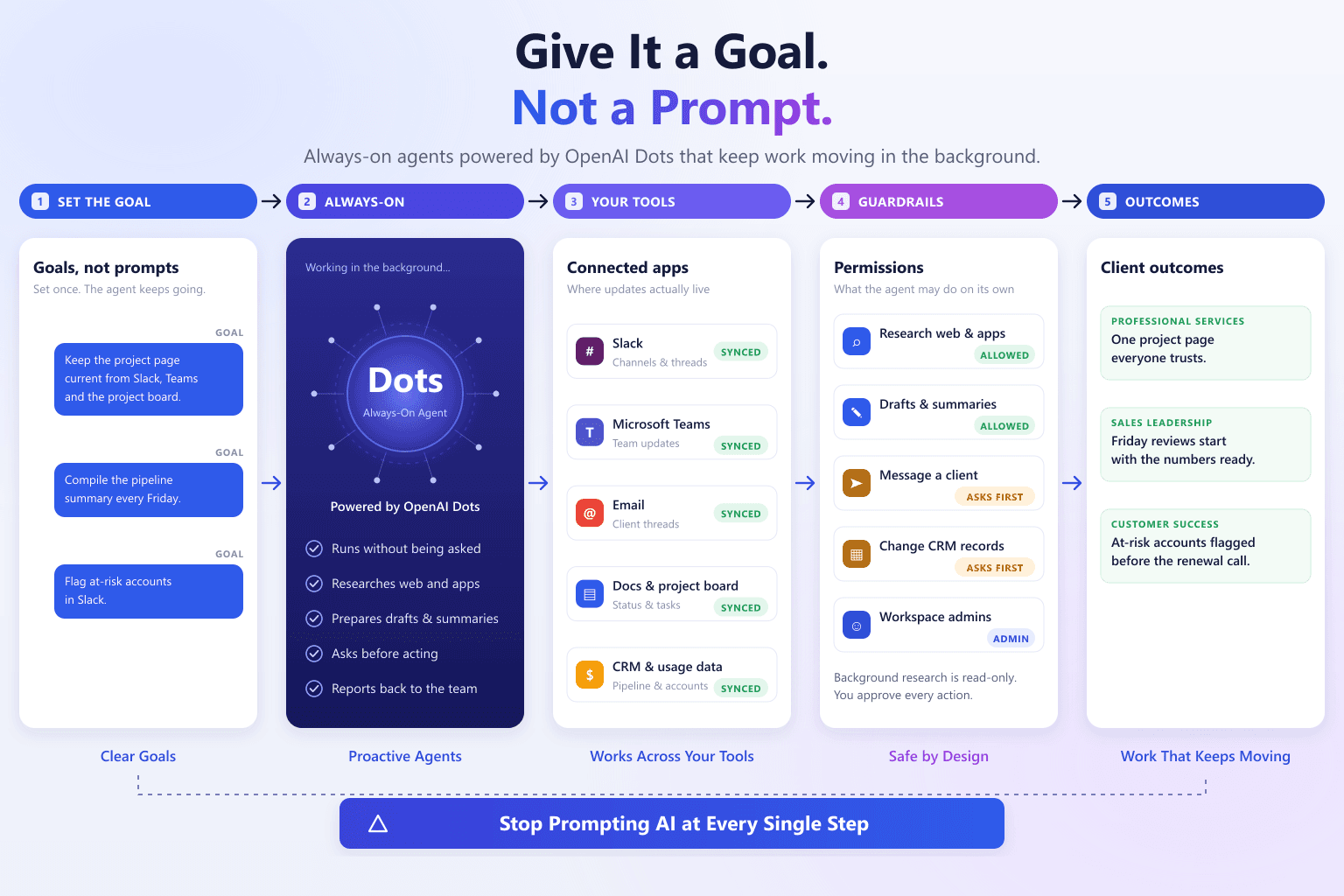
Give It a Goal, Not a Prompt: Octolade Always-On Agents
Background agents powered by OpenAI Dots that keep projects, pipelines and accounts up to date without being prompted.
Read the case study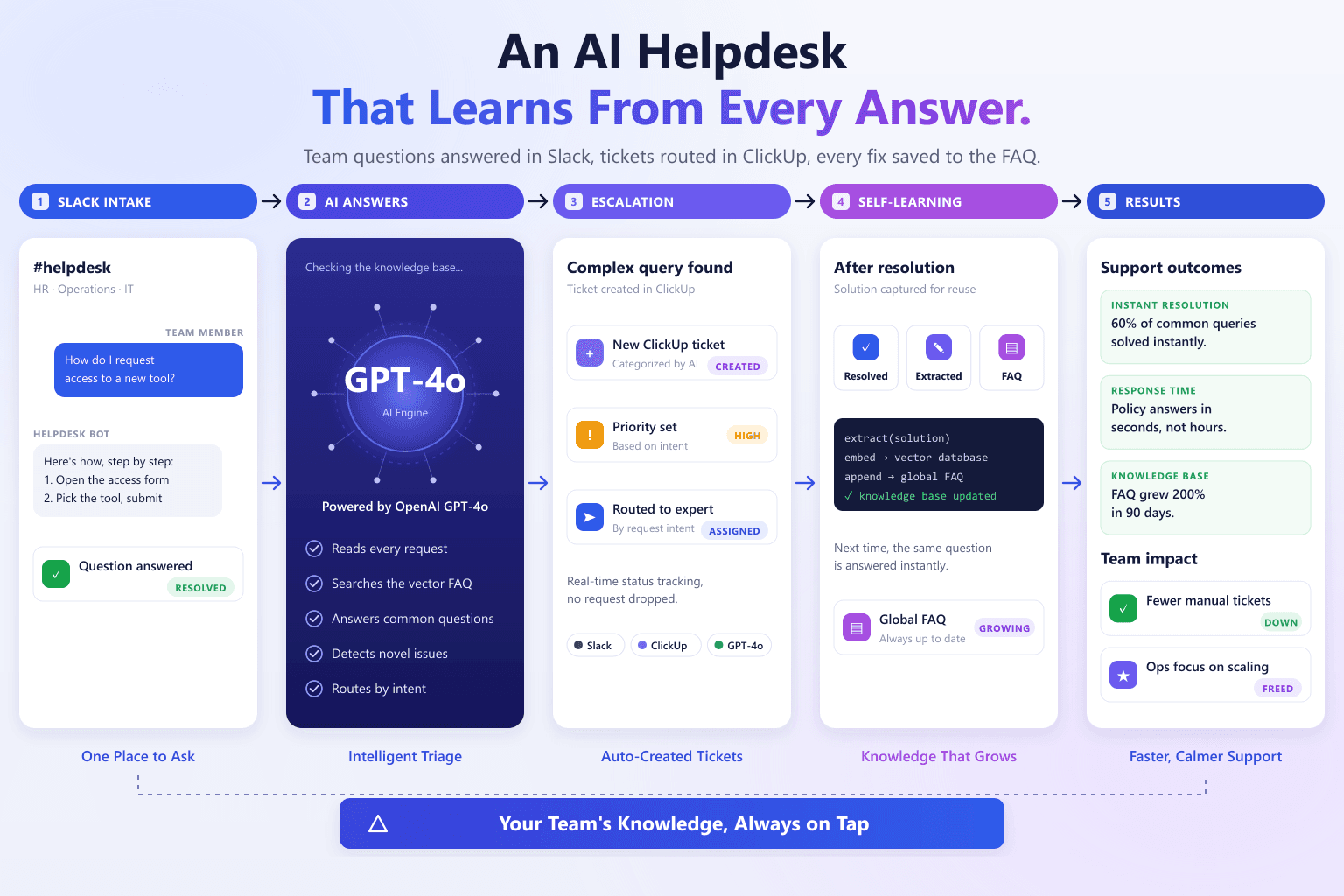
AI-Powered Slack Helpdesk & Knowledge Engine
Transforming Chaotic Team Requests into a Self-Learning Internal Support System
Read the case studyFrequently asked questions
What are OpenAI Dots?
Which ChatGPT plan do we need?
What can an agent do without asking?
What kind of work suits an always-on agent?
Who controls the agents?
Tell us what you want to automate
A short call to scope the workflow, followed by a written proposal with scope, timeline and cost before any work begins.